



إن تطبيق Toppal Voice يضيف التحكم الصوتي في التنقل والوسائط والمكالمات وعناصر التحكم المدعومة في التطبيقات إلى وحدات Android Head Units المتوافقة. يمكن للعملاء الذين لديهم بالفعل Toppal Voice مثبتًا شراء رمز تفعيل. يجب على العملاء الذين يحتاجون إلى التطبيق اختيار خيار حزمة التطبيق الإضافية حتى تتم مراجعة التوافق أولاً.
ما هو تطبيق Toppal Voice؟
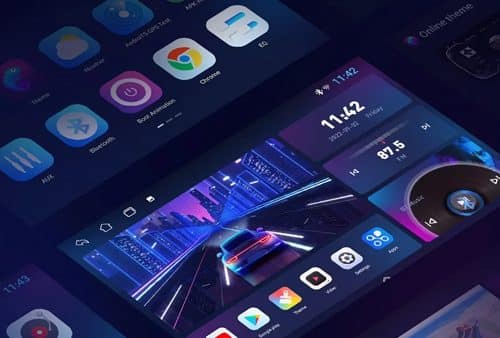
إن تطبيق Toppal Voice لوحدات رأس Android هو نظام للتحكم الصوتي مصمم لمساعدة السائقين على تشغيل الوظائف المدعومة دون الحاجة إلى لمس الشاشة بشكل متكرر. وبحسب الإصدار المثبّت وتكامل وحدة الرأس، يمكن استخدام الأوامر الصوتية لفتح التنقل، والبحث عن الوجهات، وتشغيل الموسيقى، وإجراء المكالمات، وتشغيل التطبيقات، والتحكم في وظائف محددة للنظام.
Toppal Voice ليس هو نفسه Android Auto أو Google Assistant أو تطبيقًا قياسيًا من Play Store. وهو مخصص لأنظمة Android للسيارات المتوافقة من السوق الثانوية وقد يعتمد على خدمات خلفية مخصصة وموارد لغوية وتكامل مع البرنامج الثابت.
تتحدد الأوامر المتاحة بحسب إصدار Toppal المحدد، واللغة، واتصال الشبكة، والتطبيقات المثبتة، والطريقة التي يتعامل بها البرنامج الثابت لوحدة رأس Android مع التحكم الصوتي.
ما الذي يمكن لتطبيق Toppal Voice التحكم فيه؟
تم تصميم Toppal Voice لتقليل التفاعل غير الضروري مع الشاشة أثناء القيادة. يختلف دعم الأوامر الفعلي حسب إصدار التطبيق واللغة وبرنامج Android الثابت والتطبيقات الخارجية المثبتة.
الملاحة
افتح تطبيق تنقل مدعومًا، وابحث عن وجهة وابدأ إرشادات المسار عندما يسمح تطبيق الخرائط المثبت وتكامل البرنامج الثابت بذلك.
الموسيقى والوسائط
تشغيل تطبيقات الموسيقى أو الوسائط المدعومة، والبحث عن المحتوى والتحكم في التشغيل عندما يقبل التطبيق المحدد الأمر الصوتي.
مكالمات الهاتف
إجراء المكالمات أو إدارتها عبر الهاتف المتصل عندما تكون Bluetooth وجهات الاتصال ووظائف الاتصال في وحدة Android الرئيسية مهيأة بشكل صحيح.
تشغيل التطبيق
افتح التطبيقات المدعومة المثبتة على وحدة Android الرئيسية دون البحث عبر قوائم متعددة.
البحث عبر الإنترنت
استخدم وظائف البحث الصوتي المدعومة للوجهات أو الموسيقى أو الطقس أو المعلومات عبر الإنترنت عند توفر اتصال إنترنت مستقر.
عناصر التحكم المحددة للنظام
قد تدعم بعض الإصدارات أوامر محددة للصوت أو العرض أو النظام عندما تكون هذه العناصر مدمجة مع البرنامج الثابت لوحدة الرأس.
Toppal Voice Standard مقابل Pro
يوفر FixMyDash خيارات مختلفة لـ Toppal Voice. يعتمد الاختيار الصحيح على الوظائف المضمنة حاليًا مع الإصدار المحدد ووحدة رأس Android لدى العميل.
| المقارنة | Toppal Voice القياسي | Toppal Voice Pro |
|---|---|---|
| التحكم الصوتي الأساسي | يتضمن الأوامر الأساسية المقدمة مع إصدار Standard المحدد. | يتضمن الأوامر الأساسية المقدمة مع إصدار Pro المحدد. |
| الملاحة والوسائط | متاح حيثما تدعمه وحدة الرأس واللغة والتطبيقات المثبتة. | متاح حيثما تدعمه وحدة الرأس واللغة والتطبيقات المثبتة. |
| وظائف إضافية | محدودة بالوظائف المضمنة في حزمة Standard الحالية. | قد تتضمن أوامر أو خدمات إضافية مضمنة في حزمة Pro الحالية. |
| متطلب الإنترنت | مطلوب عادةً للتعرّف على الصوت والخدمات عبر الإنترنت. | مطلوب عادةً للتعرّف على الصوت والخدمات عبر الإنترنت. |
| التوافق | يتطلب تطبيق Toppal متوافقًا وبيئة وحدة رئيسية تعمل بنظام Android. | يتطلب تطبيق Toppal متوافقًا وبيئة وحدة رئيسية تعمل بنظام Android. |
| حزمة التطبيق متضمنة | فقط عند تحديد خيار حزمة التطبيق الإضافية والتأكد من التوافق. | فقط عند تحديد خيار حزمة التطبيق الإضافية والتأكد من التوافق. |
Is Toppal Voice Already Installed on Your Head Unit?
إن رمز تفعيل Toppal Voice و Toppal Voice app package are separate purchase options. Check the Android head unit before ordering.
رمز التفعيل فقط
Choose this option when a compatible Toppal Voice app is already installed and opens normally.
- The Toppal app is visible on the Android head unit.
- The app opens but asks for activation.
- The required service and language components are already installed.
- You only need a Toppal Voice license code.
رمز التفعيل + حزمة التطبيق
Choose this option when Toppal Voice is missing, deleted or unavailable after a factory reset or firmware update.
- لم تتضمن وحدة Android الرئيسية Toppal Voice.
- The original app was removed or deleted.
- اختفى التطبيق بعد إعادة ضبط المصنع.
- The original installation files are no longer available.
- You require compatibility review and installation guidance.
Toppal Voice Compatibility
Toppal Voice compatibility cannot be confirmed only by the vehicle model or the Android version displayed in the settings menu. Android head units that look similar may use different motherboards, MCU versions, firmware builds, software signatures and system services.
When the app is missing, FixMyDash may need to review the system information and ask Toppal to confirm whether a matching installation package is available.
Language and Internet Requirements
Language options
Multiple language options are available for international users. Available languages depend on the current Toppal package, selected version and language resources offered at the time of purchase.
Voice-command coverage may differ between languages. A language being available does not mean that every command or third-party application supports that language equally.
Internet connection
Toppal Voice generally requires a stable internet connection for voice recognition, online searches, streaming services and connected application functions.
Some local controls may vary by version and firmware integration, but the service should not be treated as a fully offline voice assistant.
How to Buy the Correct Toppal Voice Option
- اختر Standard أو Pro Review the currently available version options and select the package that matches your requirements.
- Check whether Toppal Voice is already installed Open the app list on the Android head unit and confirm whether the Toppal app is present and can open.
- Select the correct package option Choose Activation Code Only when the app is installed, or Activation Code + App Package when the app is missing.
- Select the required language Choose from the language options currently offered on the product page.
- Submit system information when the app is required Provide the Android version, MCU version, build number, system information and clear screenshots.
- Wait for compatibility confirmation FixMyDash reviews the submitted information and may request confirmation from Toppal when necessary.
- Receive activation or installation guidance Customers receive the applicable activation instructions and, when selected and confirmed, the matching app package information.
Who Is the Toppal Voice App Suitable For?
Existing Toppal users
Customers who already have Toppal Voice installed and need a valid activation code for one Android head unit.
Factory-reset recovery
Customers whose original Toppal app disappeared after a system reset and need an app package compatibility review.
Android head unit owners
Drivers who want supported navigation, media and application commands without repeatedly touching the screen.
Multilingual drivers
International users who need one of the language options currently supported by the selected Toppal package.
Car stereo installers
Installers who need activation options or compatibility review for Android head units supplied to their customers.
Dealers and resellers
Businesses requiring multiple activation codes or help identifying which units already contain a compatible Toppal app.
Frequently Asked Questions About the Toppal Voice App
What is the Toppal Voice App?
Toppal Voice is a voice assistant designed for compatible aftermarket Android head units. Depending on the version and system integration, it can operate supported navigation, media, calling and application functions.
Does the Toppal activation code include the app?
No. The activation-code-only option is for customers who already have a compatible Toppal Voice app installed. Customers who need the application files must select the additional app package option.
هل يمكن تثبيت Toppal Voice على كل Android head unit؟
No. Compatibility depends on the motherboard, MCU, firmware, system services and whether Toppal has a matching package available.
Does the Toppal Voice App require an internet connection?
Toppal Voice generally requires internet access for voice recognition, online searches, streaming services and connected application functions. Local command support varies by version and head unit integration.
ما الفرق بين Toppal Voice Standard وPro؟
Standard and Pro are different package options. The exact differences depend on the current Toppal versions offered on the product page. Compatibility and supported commands still depend on the Android head unit, firmware, language and installed apps.
Can I choose the Toppal Voice language?
Customers can choose from the language options currently offered. Availability and command coverage may vary by selected version and language package.
Can I reinstall Toppal Voice after a factory reset?
Reinstallation may be possible if a compatible package exists for the current motherboard and firmware. Customers should select the app package option and submit updated system information for review.
هل يمكن استخدام رمز تفعيل واحد على عدة وحدات رأس Android؟
No. A Toppal Voice activation code is generally intended for one compatible device. Additional units require separate activation options.
What information is required when the Toppal app is missing?
FixMyDash may request the Android version, MCU version, system build number, motherboard or platform information, current app list and clear screenshots of the system information page.
لماذا تكلف حزمة تطبيق Toppal تكلفة إضافية؟
The additional fee covers system review, motherboard identification, package availability confirmation, file matching and basic installation guidance.
Why do some sellers provide only a Toppal activation code?
Many sellers serve customers who already have Toppal Voice installed. A compatible installation package is not publicly available for every motherboard and firmware, so many sellers do not provide app package review or installation support.
Can installers or dealers purchase multiple Toppal activation codes?
Installers, dealers and resellers can contact FixMyDash to discuss multiple units. Device and app compatibility should still be confirmed before activation.
Is the vehicle make and model enough to confirm compatibility?
No. Toppal Voice compatibility is mainly determined by the Android head unit motherboard, MCU, firmware, system build and available Toppal package.
Choose the Correct Toppal Voice Option
Buy an activation code when Toppal Voice is already installed, or select the additional app package option when the app is missing and compatibility review is required.

 English
  Русский
  العربية
  Español
  Türkçe
  Português
  Français
  O‘zbekcha
  Қазақ тілі
  Українська
  فارسی
فارسی  Kurdish (Kurmanji)
  Italiano
  Deutsch