



Car Android System Repair: Expert Tips & Customer Precautions
Advantages of Our Car Android System Repair Service
FixMyDash specializes in professional Car Android System Repair, providing fast and reliable remote solutions. Whether you face system boot failures, firmware update errors, or connectivity issues, our expert technicians offer comprehensive Android system troubleshooting with clear guidance. Additionally, our remote repair service saves you time and travel costs by delivering tailored repair packages directly to your device. We utilize secure data transmission to protect your privacy throughout the repair process.Important Customer Precautions Before Repair
Please read carefully before proceeding with remote repair.
- Ensure your vehicle’s battery is sufficiently charged or keep the ignition on during repair to avoid power interruptions.
- Back up important data before repair, as firmware updates may reset system settings.
- Follow instructions carefully to avoid damaging your وحدة رأس السيارة or infotainment system.
- Remote repair covers software issues; hardware faults require onsite service.
- Respond promptly to technician requests during the Android system troubleshooting الفوري.
- Repair time depends on issue complexity and customer response speed; plan accordingly.
How Our Remote Repair Works — Technical Overview
- Remote Diagnostics: We collect system logs remotely and analyze data with diagnostic tools to identify faults.
- Custom Repair Package: Based on diagnosis, we create a tailored firmware update or patch package.
- Secure Delivery & Guidance: Repair package sent securely with step-by-step instructions and live support.
- Post-Repair Monitoring: We confirm repair success and assist with follow-up if needed.
الأسئلة الشائعة (FAQ)
- Is remote repair safe for my car’s Android system?
- Yes, FixMyDash uses encrypted data transmission and proceeds only with your authorization, ensuring privacy and system safety.
- Can non-tech users complete the repair?
- Yes, we provide clear guides and live support for all customers.
- What issues can be fixed remotely?
- Software faults like system boot failure, firmware update errors, touchscreen and connectivity problems. Hardware issues require onsite repair.
- How long does remote repair take?
- Usually within 24 hours; complex cases may take longer.
Real Customer Cases Demonstrating Our Expertise
Case 1: System Boot Failure
Mr. Zhang’s TS18 Android system wouldn’t boot. After remote diagnostics and log analysis, we provided a firmware repair package. Following our guidance, Mr. Zhang reflashed the firmware and restored functionality within hours.Case 2: Bluetooth Connectivity Issue
Emily’s Bluetooth kept disconnecting. Remote diagnosis identified driver compatibility issues. A targeted patch and guided installation restored stable connectivity.Case 3: Touchscreen Unresponsiveness
John’s touchscreen lagged. We provided a remote calibration and firmware optimization package. After installation, responsiveness improved significantly.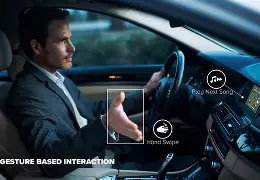
Remote support and communication during car Android system repair.
For detailed instructions, visit our Firmware Update Guide و Troubleshooting Tips. Learn more from Google Android Auto Support و Android Auto Developer Documentation.
 English
  Русский
  العربية
  Español
  Türkçe
  Português
  Français
  O‘zbekcha
  Қазақ тілі
  Українська
  فارسی
فارسی  Kurdish (Kurmanji)
  Italiano
  Deutsch